FIRST!! Before you attempt. BACK UP YOUR BLOG!!! Okay, a few blogger blog users have mentioned several times that they have a bit of difficulty placing a header image on their blogs lately. And since I figured out how to replace something blogger has done away with in the admin gadgets, I will now attempt to help if I can...
This will be a step by step to get a header on your blog as it was before the new 'standard' interface was changed recently:
Login to your admin on blogger
Click on "Layout" and then, "Add a Gadget"

Click on "Page Header"

Click "upload image from computer" [step1], Browse button [step2], click on "instead of title and description" [step3]*. *I make my own headers with title infused in the graphic. You can choose to opt from the other two preferences!! If you have a plain image with no text, I'd choose the option of "Behind Title and Description"
When image is loaded, click "save".

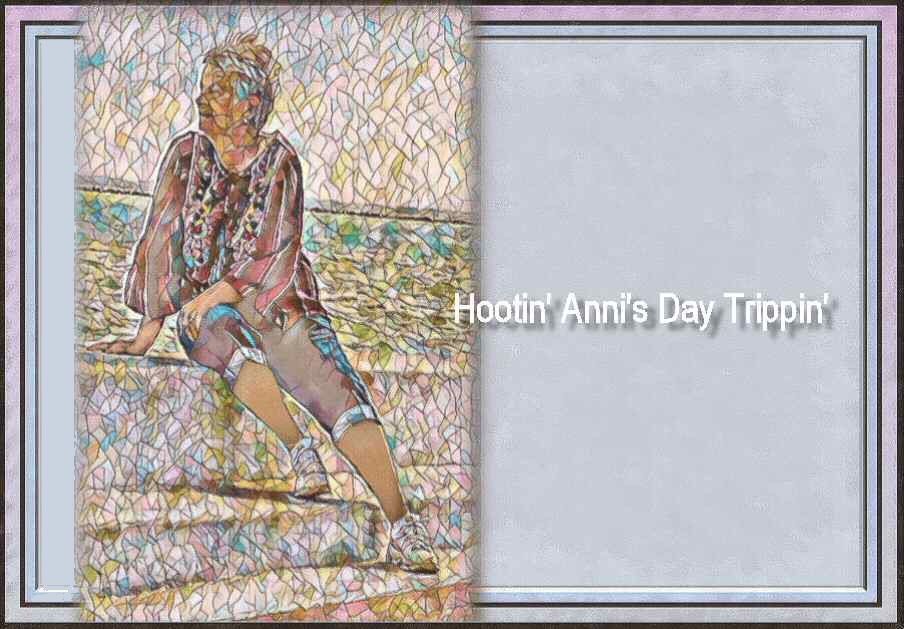
It will look like this [with YOUR image, not mine]

If you wish to change your header at any time, just follow the steps above. Lather, Rinse, Repeat. [lol] I'd also suggest that we don't abuse this trick by changing it daily or too often, to keep Blogger from changing it altogether again, or having NO option for a new header entirely. Just my opinion. Of course I could be wrong...that'd be a first. :::snort:::
THE LAST STEP -
Go back to beginning and hard click and HOLD on the new gadget you just made! Drag it to the top of the page [or where you want the header to be placed]. Again, click SAVE.
Hope this little tutorial helps those that are having difficulties.


Wow, this is amazing. I had no idea there is now a header gadget!! You are way more blogger savvy than I am.
ReplyDeleteSorry it took me so long to respond to the blogger header dilemma for some. Hoped this helped.
Delete7/28/2021
Good info to know. I haven't changed the look of my blog in a long time and have had the same header for years now. After all the trouble I heard other people were having I was glad I wasn't planning on a new look.
ReplyDeleteI don't understand the change with blogger in the first place. But, that's beside the point.
DeleteThanks for the tip and instructions! I have not used a blog header in a long time.
ReplyDeleteTake care, have a happy day!
No header graphic sure saves loading time!!
DeleteI've never had any issues adding a header to my blog. However, I don't use a Blogger template, I've always purchased a template from a web designer. Years ago, I taught myself how to customize a website by changing the HTML coding so that I wouldn't be limited to the design as it was originally created. I too also make my own headers. I use Canva. They're awesome and FREE!
ReplyDeleteHave a great day, Anni! And thanks for sharing!
I too do my own html coding!! That way, it's "original".
DeleteThank you, Anni! It sounds simple enough to accomplish.
ReplyDeleteIt is quite simple.
DeletePhew! Your blog savvy made me realize how grateful I am not to have a header. Well done.
ReplyDeleteI actually see NO header on any blog, when I view thru my phone.
DeleteThis is the way I have always changed my header but it doesn't work anymore it makes it the size of a postage stamp. That's how I messed up bows blog doing exactly what you have here and everything came out small.
ReplyDeleteMaybe you have clicked the radio button..."shrink to fit"?
DeleteI'll keep my boring book look but you all like change so I say, go for it.
ReplyDeleteI like taking my bird photos and making them headers. 😊
DeleteThank you, Luv
ReplyDeleteWill try, on my 'Trying' Blog.
Again, Thank You!!!
✨💛✨💛✨💛✨💛✨💛✨
Hope it works for you too!
DeleteOK!!!!!! Tried it, on my "Trying" blog. It works, but only with "Instead of Blog Name." I want my Blog name to show.
ReplyDeleteAnd unless I make the pic, the exact size (1073) to fully fit my particular Header space, my pic is not centered.
There is a simple Code, to Center Header pics. There used to be a place, to easily add that Code. That place, has been eliminated. Grrrr...
For me, the Centering is the key. For this, I need to be able to add the Code.
And for me, I want my Blog Name to show, on the pic.
If that is impossible, I am content to have Blog Name, in a little Gadget, below Header. (Although I don't think Blogger wants us to use that... Because we can not do anything but type our name 'cold.')
Did I make myself 'clear as mud'???????? LOL
✨💛✨💛✨💛✨💛✨💛✨
Use other option
DeleteLOOOOOOK!!!!!!!!
ReplyDeleteI DID IT!!!!
https://her55kim.blogspot.com/
Well, I have my blog NAME, behind my Header pic. My Header pic, which is the proper size, to fill my Header space.
I still need to be able to add the Centering Code. So I can use any size Header pic, and still have my Header look neat. LOL
Ahhh yes, I need NEAT!!!!!! OCD? Me??? Nahhhh.... LOL
Will now go do a Happy Dance!!!!!!
Yes!!
DeleteYes, now I see!!!! You said to use 'Behind Title and Description'! I missed that, in reading the first time. But I did it, myself. And it now works.
ReplyDeleteBlogger replaced this ability!!!!!!! There was so much uproar, that they actually did so. Do you agree?
Now, I am never satisfied! LOL! Soooooo, can you do your Techy Magic, and figure out where to sneak in, the simple Code, to Center our Header pic????
#header-inner {
text-align: center !important;
}
or
#header-inner img {
margin: 0 auto !important;
max-width: 100%;
height: auto
}
I used to know the Code. These I got from this link... https://kotrynabassdesign.com/center-blog-header-image-blogger/?sfw=pass1627488838
✨💛✨💛✨💛✨💛✨💛✨
Help is in your comments.
DeleteWith New Blogger, when you go to 'Advanced... 'Page Text'..... There is NO more place to 'Add custom CSS'....
ReplyDeleteThat is the difference.
New Blogger has removed this place, to add Code.
On my New Blogger, anyway. If you still see it, I don't understand why/how. But good for you!
It's there. Hidden. You need to scroll
DeleteYou said: "Yes there IS a place to add the text!!
ReplyDeleteWhere you see add custom CSS and a blue line...type on that line"
No, there is no such place showing, on my New Blogger. No "add custom CSS". There used to be, on Old Blogger. No more. Honest. -smile-
Click on little arrow to the right of sidebar...you will get a drop down menu...scroll!
DeleteThings have gotten so advanced (and difficult!) since my Blogger days in the early 2000's. I admire your determination to make your blog as pleasing and attractive.
ReplyDeleteDefinitely
DeleteThanks for the tip and instructions.
ReplyDeleteHappy midweek wishes.
All the best Jan
😊
Delete~head desk~ I could scream at myself! Yes, I found where to add CSS or whatever it is!!!!!!! Scroll... Scroll...Scroll.... How can I be so stupid, as to FORGET to scroll, scroll, scroll down?!?!?! ~head desk~
ReplyDeleteSo I used the first Code #header-inner {
text-align: center !important;
}
and this Centered the Name of my Blog.
But I can not yet, find the correct Code, to Center a picture, in my Header space. I am using a not wide pic, on my Testing blog... And it will not Center.
But enough for today! I am wiped, and I think you must be too!!!!!!
Thank you so much, for all the help!!!!!!!!!!!! Including all the pictures!!!!!!!!!
Perhaps another day, you will send me, the correct Code, to Center the picture...
Thank you!!!!!!!!!
I figured you were missing it! Glad I could help.
DeleteWill send you the code ... You may need to remind me. 😊
DeleteSo far I have had minimal problems with putting up a new header. We will see what the beginning of August brings, since i usually change the header every month.
ReplyDeleteIt'll be here if you need the help.
DeleteThanks so much. I have been having trouble. Will give it a try.
ReplyDeleteI just changed my header - Thanks so much!!!
DeleteI'm glad it helped!!!
DeleteI need to try to do a header.
ReplyDeleteCoffee is on and stay safe
It's easy.
DeleteThank you for sharing! ❤️
ReplyDelete😊
DeleteYou are so smart! I haven't changed my header in years, but now I'm tempted to try it! Great job, Anni.
ReplyDeleteThanks
Delete